// healthtech
Alignio
A dental treatment planning tool — 3D model review, side-by-side comparison and plan approval for clinics and labs.
// case.overview
The challenge
// problem
Doctors reviewed 3D setups in heavy desktop software and sent feedback by email, so approvals took days and changes got lost.
// approach
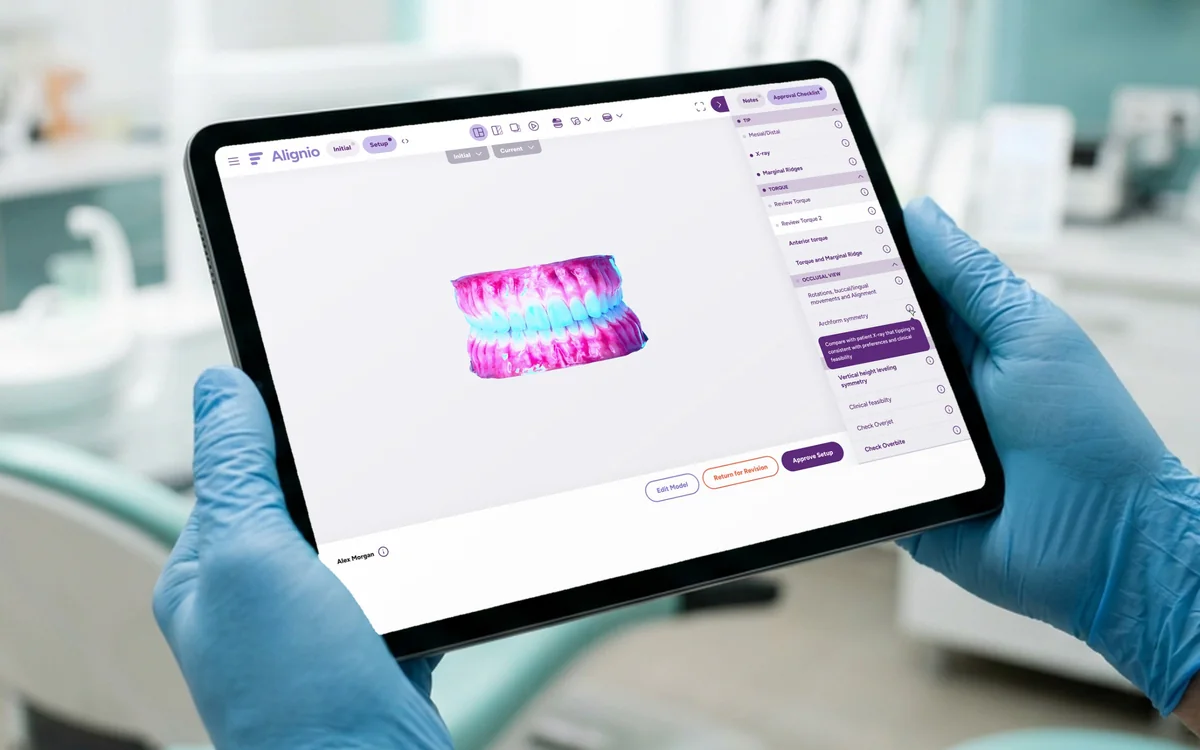
I built the screen around the 3D viewport: tools on top, a review checklist on the side and approval actions always in reach.
// focus
Side-by-side and overlay comparison, a structured review checklist and a clear approval step.
// case.work
Key screens
Four steps from setup to approval.
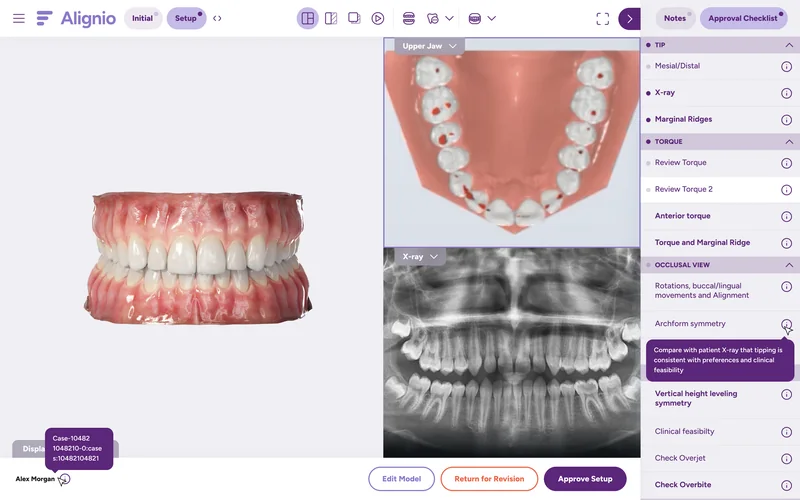
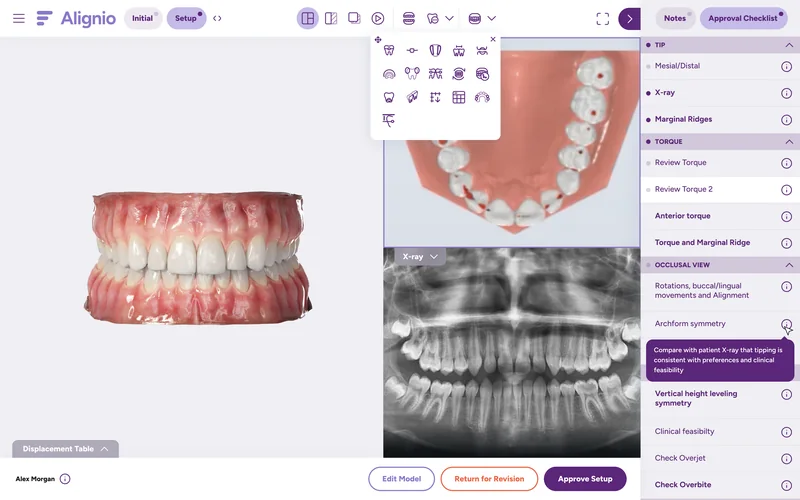
Setup review
The 3D model, X-ray and review checklist on one screen.
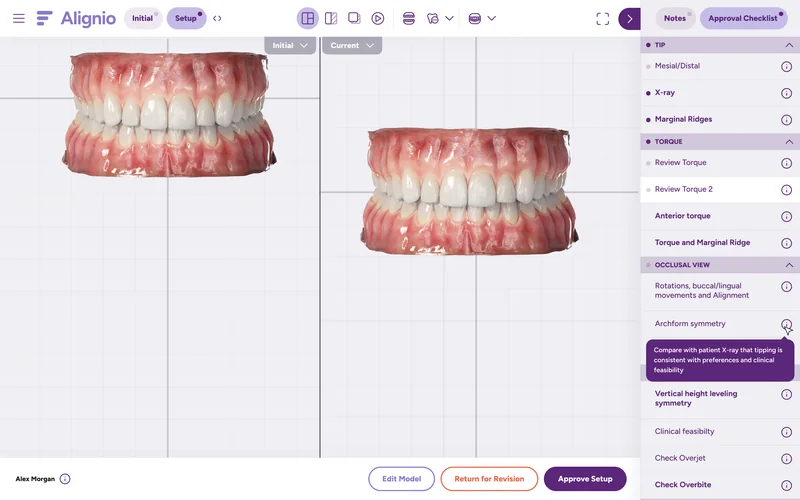
Side by side
Compare the current and planned setup in sync.
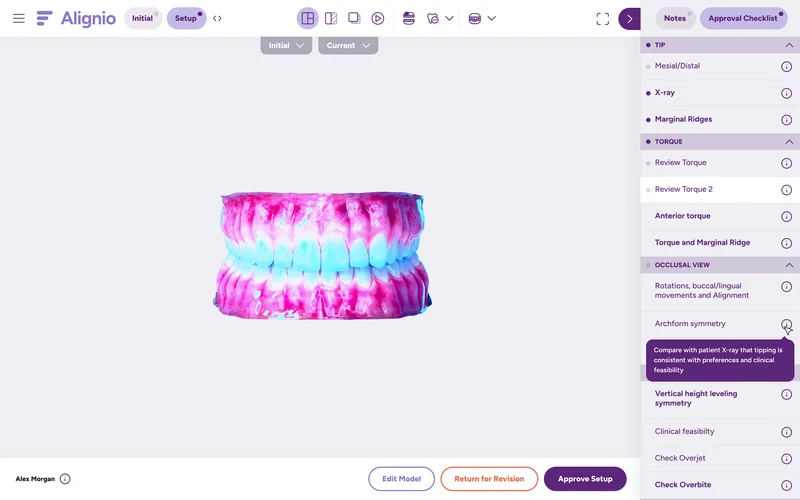
Overlay heatmap
See tooth movement as a color map instead of guessing.
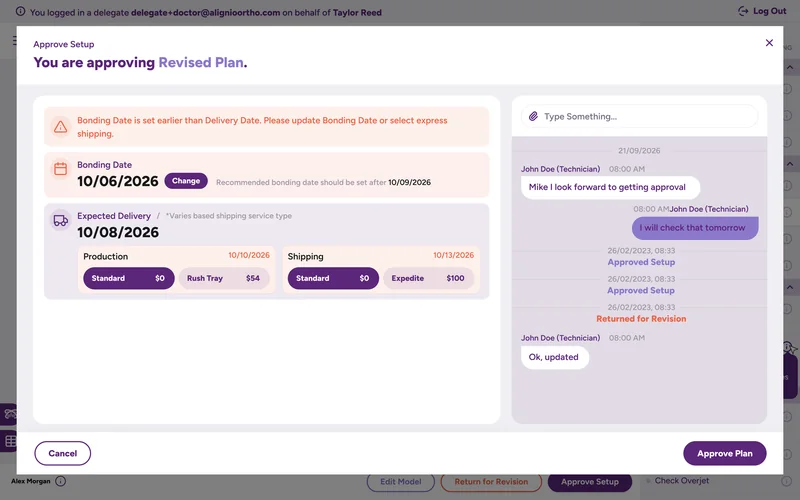
Plan approval
Dates, production options and comments before sign-off.
// case.mobile
On mobile
Doctors review and approve setups from a phone, without the desktop viewer.
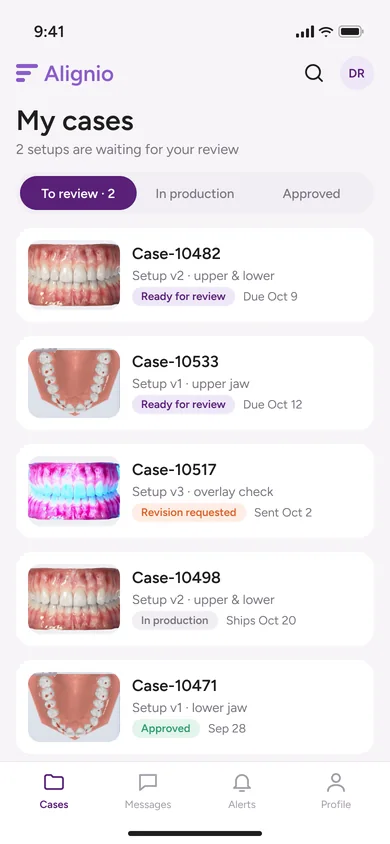
My cases
Setups waiting for review, revisions and production status in one list.
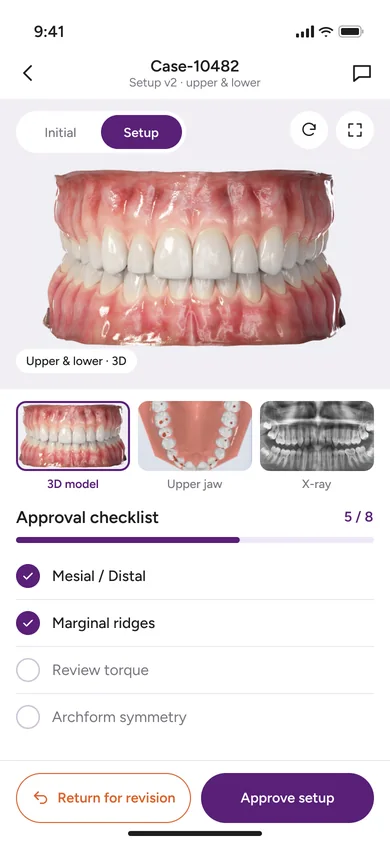
Setup review
3D model, jaw views and X-ray with the approval checklist underneath.
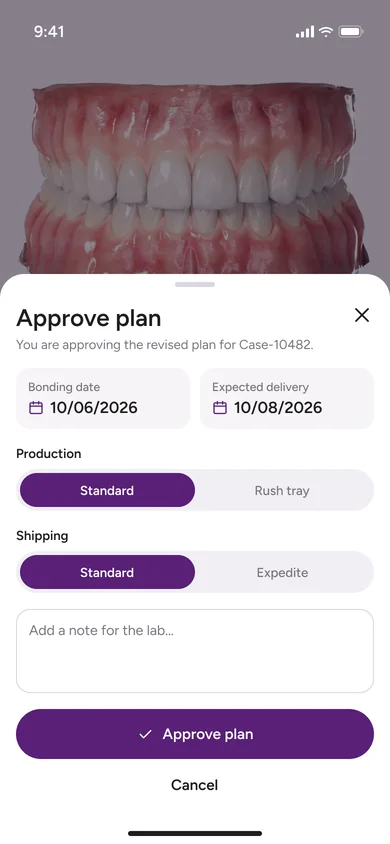
Approve plan
Bonding date, production and shipping options confirmed in one sheet.
// case.system
Visual language
// typeface
Figtree
regular · semibold — 12 / 14 / 16 / 24
// palette
- Primary#582078
- Primary light#E6DFF5
- Ink#1E1E1E
- Surface#F6F1F6
- Accent#E9733A
- Gum#C07868
// case.result
Outcome
Plan review moved into the browser: doctors compare, comment and approve in one session instead of a week of emails.
- 25+
- unique screensdesigned from scratch
- 3
- view modessingle, side by side, overlay
- 1
- review checkliststructured feedback
- 1
- component libraryshared by every screen